FuriaScripts F-Admin
FuriaScripts F Admin
What this resource is
FuriaScripts F Admin
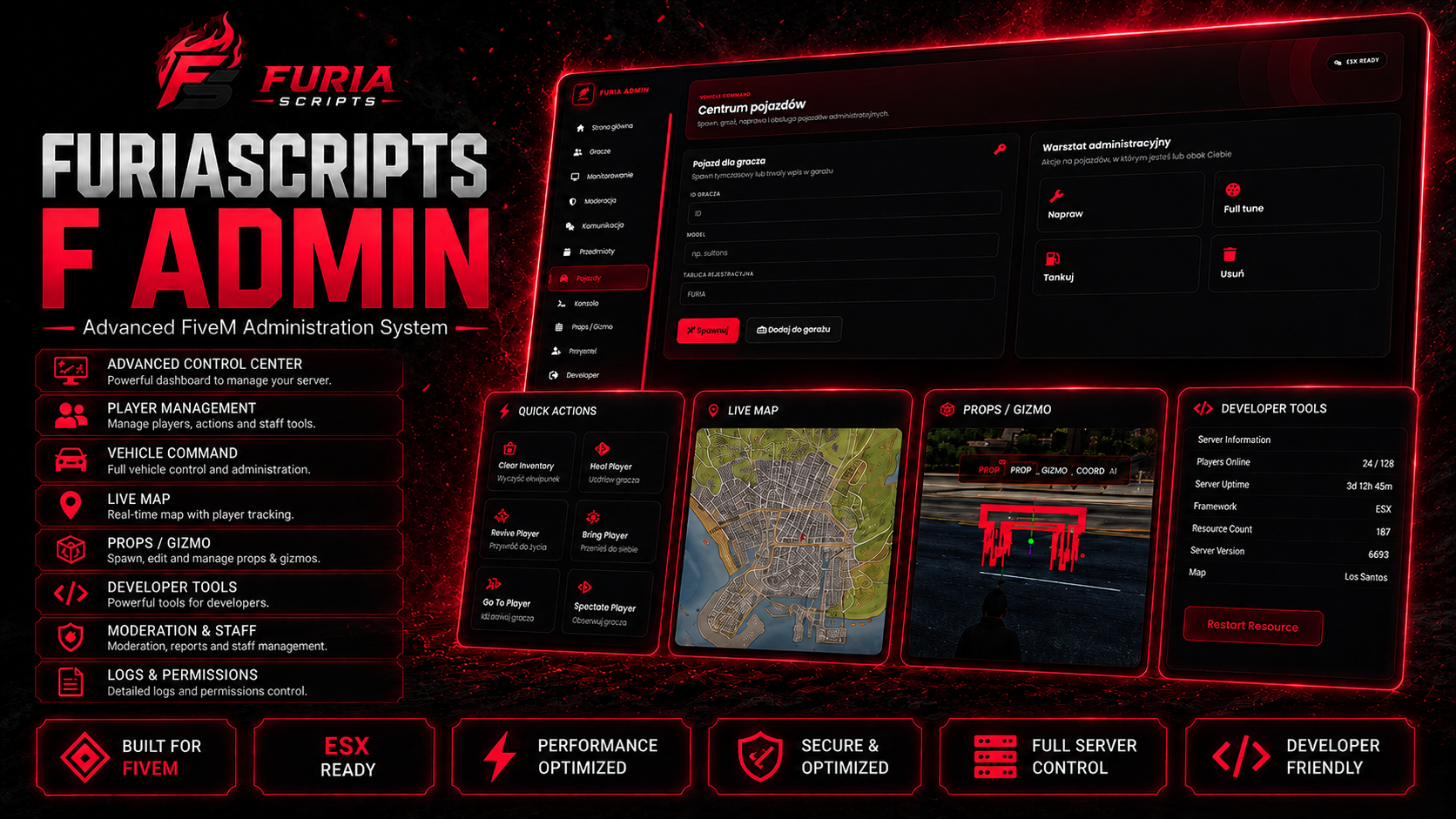
FuriaScripts F Admin is an advanced all-in-one administration framework built for serious FiveM roleplay servers.
Manage players, staff, reports, vehicles, inventory, server resources, events and the game world through a premium in-game Control Center. The system includes detailed permissions, Discord logging, persistent database storage and integrations with popular FiveM frameworks and resources.
Each administrator can have an individual account, rank, permissions, profile, interface settings, staff outfit and tracked duty time.
• 🛡️ Complete in-game administration panel
• 👥 Online and offline player management
• 🔍 Player information, identifiers, notes and statistics
• 🎥 Spectate and live player screen preview
• 🚫 Advanced kick, ban, unban and CK system
This guide assumes a clean installation. If you run modified frameworks or dependency forks, validate the integration on staging before production.
Before you install
Prepare your server and make sure dependencies start in the correct order.
Step-by-step installation
Download the asset
Open Cfx.re Portal after purchase and download the latest resource version assigned to your account.
Extract the resource
Place the folder inside your resources directory. Keep the delivered folder name; “furiascripts_f_admin” below is only an example.
Install dependencies
Start every required library, inventory, target and database resource before the FuriaScripts resource.
Import SQL
If the package contains an .sql file, import it before the first start.
Configure
Open config.lua/config/*.lua and set framework, locale, permissions, integrations, items and webhooks for your server.
Add server.cfg
Add an ensure line after all required dependencies. Never start the main resource before its libraries.
Restart and test
Perform a full restart, review F8/server console and validate the main flow on a staging server.
ensure ox_lib
ensure oxmysql
ensure furiascripts_f_admin
Use the actual folder name from the downloaded package instead of the example “furiascripts_f_admin”.
First configuration
Before production, review the entire config from top to bottom. Never paste an old config over a new release without comparing keys.
Config = Config or {}

Config.Framework = "esx"
Config.Locale = "en"
Config.Debug = falseSelect the adapter used by your server and never run two framework bridges at once.
Set language before testing so missing translations are obvious.
Enable debug only while diagnosing issues. Keep it disabled in production.
Load order & integrations
Most FiveM startup issues come from incorrect ensure order or an integration configured differently from the system actually running.
If a release ships with dependency names that differ from the example above, the delivered package always takes priority.
Common issues
01Resource does not start+
Check ensure order, missing dependencies and the first console error — not only the last one.
02UI does not open+
Check NUI/F8 errors, resource name, required ACE/permissions and whether the UI build is present.
03Missing data / SQL+
Verify the connection string, imported tables, table names and that oxmysql starts before the resource.
04Interactions missing+
Verify target/inventory integration and item names. Fully restart the resource after changes.
05Issue after an update+
Compare the new config with the old one. Do not overwrite a new config with an old file without migrating new keys.
If you still need help
Before opening a ticket, prepare the product name, version, framework, dependency list, first console error and reproduction steps. This makes diagnosis much faster.